

Key facts at a glance
- Google Drive has a new AI-powered cleanup tool called Organize My Files.
- The tool is currently available to Google Workspace and Google AI subscribers, with Workspace smart features turned on.
- Gemini analyzes loose files and suggests moving them into existing folders, or creating new folders for related files.
- After 14 years and more than 340GB of Drive data, my test produced 19 suggestions, mostly recent files, and a second run repeated the exact same suggestions.
Why I needed this feature
I have used Google Drive since the early days of the service. That means 14 years of accumulated content, including documents, spreadsheets, slide decks, PDFs, screenshots, tax records, drafts, downloads and countless other items. My Drive has grown to 340GB, and I have never kept it properly organized. My physical life is orderly, but my digital storage became an uncontrolled dumping ground.
I also use Apple services heavily. I have an iPhone, a Mac, and an iCloud+ subscription with 2TB of storage. That account has nearly 488GB of data, including about 40,000 photos. Because I live in both the Apple and Google worlds, I pay for multiple subscriptions. On the Google side, I pay $20 per month for Google AI Pro, which gives me 5TB of Drive storage and access to Gemini AI. I also pay for ChatGPT Plus. With all these plans, my monthly cloud and AI costs are higher than I would like.
The obvious solution is to stop paying for some of these services. But the obstacle is always the same: my data is too large, too messy and too scattered to fit into Google’s free 15GB storage tier. The thought of cleaning it all by hand is exhausting. I have been putting it off for months, and new files keep piling up. When I noticed that Google had quietly launched a feature called Organize My Files, I decided to test whether Gemini could finally help me declutter Drive.
What is Organize My Files?
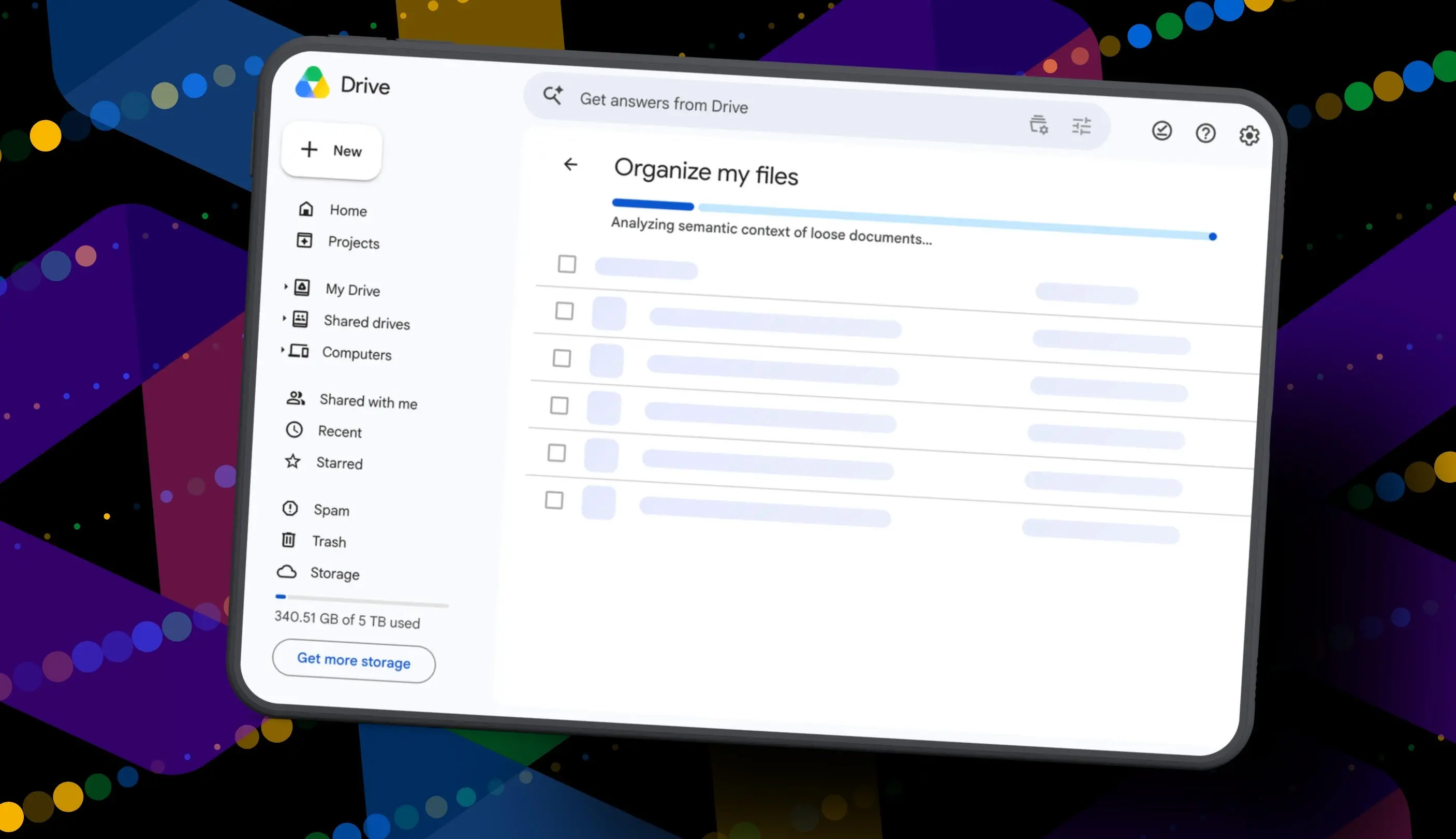
Organize My Files is a Gemini-powered tool that works inside Google Drive. It scans loose files in a selected folder and makes suggestions for cleaning them up. The feature was designed for users who have spent years dumping files into Drive without a clear folder structure. Instead of manually sorting individual documents, the AI tries to identify patterns and group related files.
Access is restricted for now. Organize My Files is limited to Google Workspace and Google AI subscribers. In addition, Workspace smart features must be enabled before the button appears in Drive. That means many personal Gmail accounts will not see the feature unless the user has one of those paid plans.
The workflow is straightforward. After opening Google Drive in a browser, you click My Drive and look for a button labeled Suggest File Moves. Clicking that button opens an Organize My Files window. Gemini then analyzes loose files and presents its recommendations. There are two main types of suggestions: moving files into existing folders or creating new folders for related files. The user can preview files, select or deselect suggestions, rename folders, and change destination folders before approving the moves.
What happened during my test
I opened Google Drive in a browser and went to My Drive. The new Suggest File Moves button appeared near the top of the file list. I clicked it and waited while Gemini scanned my loose files. The analysis took about a minute, which was longer than I expected but not painful.
When the tool finished, it presented 19 suggestions. That number felt small compared with the scale of my Drive. Still, some suggestions were actually useful. Gemini found my current resume and several resumes I had helped family members create. It recommended moving all of those documents into an existing Resume folder. That was a sensible grouping. It also identified house deed documents and suggested creating a new folder called Family and Real Estate. Another suggestion involved a new Travel Planning folder for upcoming summer trip itineraries. Those ideas were logical and easy to approve.
But the limitations appeared quickly. Most of the suggestions involved files I had created or uploaded recently. The tool did not dig into the years of older clutter that make my Drive so intimidating. It ignored entire categories of old documents. It also made at least one obvious mistake. A file included in the travel suggestions was literally named “Delete.” I had saved it only because I wanted to deal with it later. Gemini grouped it with vacation files, probably because of words in the content. It did not understand that I had already marked it for removal.
I still approved the changes. After the moves were finished, I ran the tool a second time to see whether it would find more files to organize. In about 30 seconds, Gemini returned the same recommendations: the same file moves, the same new folders, and the same changes it had just made. That was strange. It seemed as if the tool did not fully register that its suggestions had already been executed, or it was not built to scan deeply enough to move past the first batch of results.
What the tool does well
Organize My Files is not completely useless. For someone who has a small number of loose files in the main My Drive area, it could provide a quick and helpful starting point. It is especially good at finding recent documents that should belong in an existing folder. The resume suggestion in my test was a perfect example. I did not have to open the folder, compare filenames or drag anything manually. Gemini did the busy work.
The tool also encourages careful review. Every suggestion appears with a checkbox, and users can preview files before approving any move. That built-in safeguard is important because AI suggestions are not always correct. The ability to rename folders and select different target folders is another useful feature. It gives users control over the cleanup process.
There is also real value in having this kind of organization built directly into Drive. Many people would not want to give a random third-party company broad access to their personal documents, especially when those files include sensitive information such as tax returns or business records. A native Google feature is a safer option because it does not require connecting an outside app to the user’s account. Gemini can analyze data within the Google ecosystem, and the user can review everything before any file is moved.
Where Organize My Files falls short
The biggest problem is that Organize My Files does not go deep enough. I have hundreds of gigabytes of data stored in potentially thousands of folders. The tool only scanned the surface. It showed me 19 suggestions, all of which involved items that were already near the top of My Drive or had been added recently. That is not the kind of sweeping cleanup I need.
The tool seems better suited for a single messy folder than for an entire storage account. If you have a Downloads folder with dozens of loose files, Gemini could probably help you group them. But if you have 14 years of accumulated content across many folder structures, the AI is too shallow to make a meaningful difference. It does not analyze old email attachments, long-forgotten project files, duplicate photos or redundant PDFs. It does not suggest deleting obvious trash. It is an organizer for the top layer of clutter, not a true decluttering assistant.
The repetition problem is also concerning. After running the tool once and approving all 19 suggestions, I ran it again to see if it could find more work. It responded with the same file moves and the same new folders. That made the tool feel half-finished. Google will likely improve this behavior over time, but in its current beta-like state, Organize My Files does not yet understand that a completed cleanup should change the landscape for the next scan.
The impact on my storage plan
After testing Organize My Files, I still have 340GB of Drive data and a $20 monthly Google AI Pro subscription. The feature did not help me remove enough files to cancel the plan. It did not turn Drive into a perfectly organized library. It also did not convince me that I can rely on AI to manage my digital storage without significant human effort.
Still, the launch of Organize My Files is a signal that Google is taking the storage problem seriously. Many long-time users have Drive accounts that resemble mine. They saved documents, screenshots, images and files for years without discipline. Those files become harder to manage over time, and the average user does not have the energy to sort through thousands of items manually. A native Gemini-powered cleanup tool could eventually solve that problem.
For that to happen, Google needs to improve the feature in several ways. Organize My Files should be able to scan the entire Drive, not just loose files in the current view. It should prioritize older files that have been sitting untouched for years. It should recognize files that are clearly no longer needed, including documents that the user has explicitly named “Delete.” It should also understand when a suggestion has already been applied, so the next run does not return the same results. If the tool can learn to do those things, it will become far more valuable.
Until then, Organize My Files feels like a useful but narrow experiment. It can help with small cleanup jobs, but it is not the complete Drive organizer I was hoping to find. The good news is that Google has finally started to use Gemini for more than just answering questions and generating text. The feature has potential, and it points toward a future where AI can handle the boring, tedious work of file organization. I approve the idea. I just want the execution to catch up with the scale of the problem.
For now, my Drive remains messy and my subscriptions remain active. But at least I have a better understanding of what Google’s tool can and cannot do. That clarity is a small step forward in a long battle with digital clutter.
Source: ZDNET News