

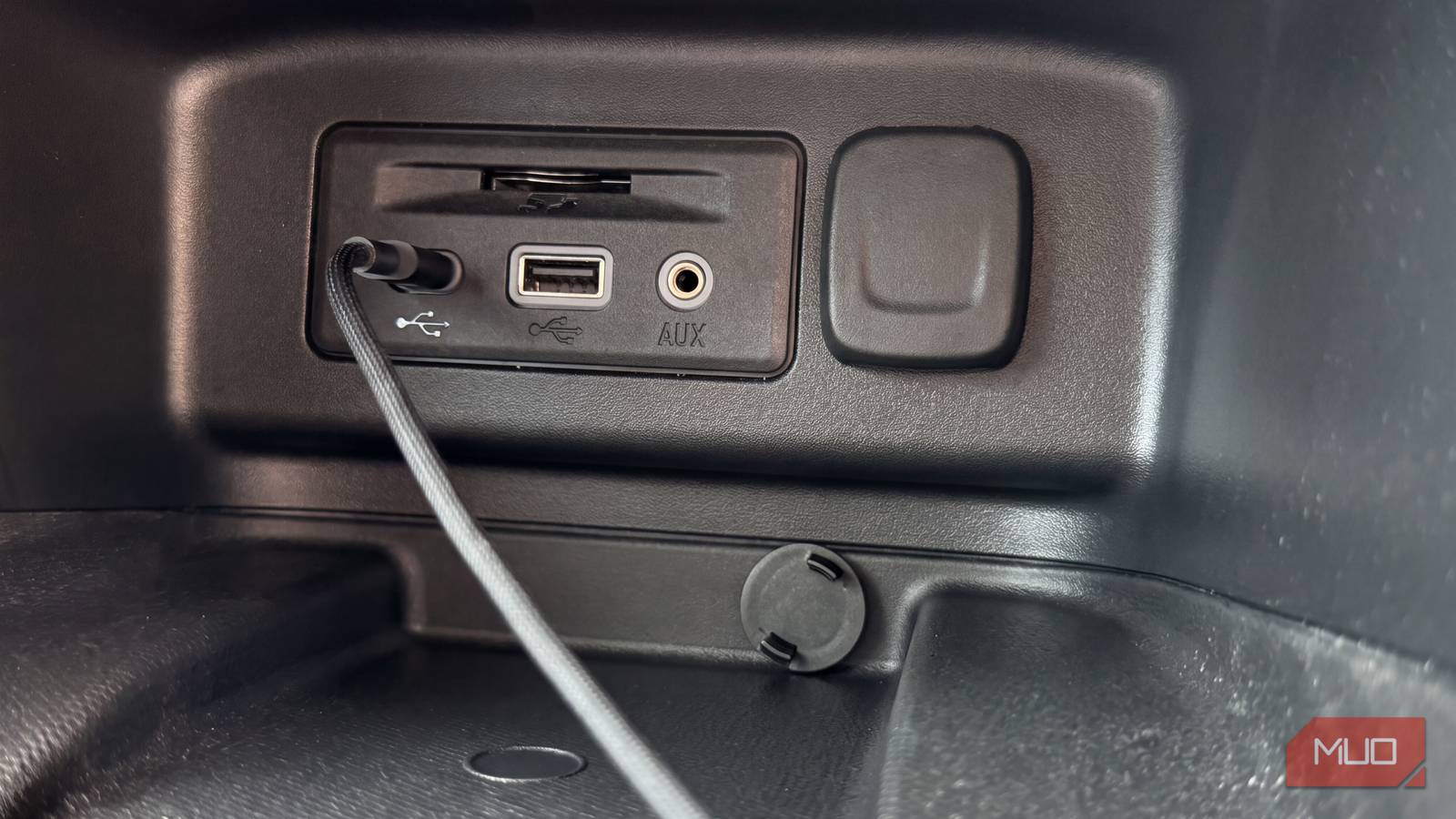
Car USB ports have become so familiar that many drivers barely think about them. They are usually treated as phone chargers or as the connection point for phone projection, and that is often where the story ends. But a USB port is a small power outlet, and with the right accessory it can support devices that make a vehicle safer, cleaner, more comfortable, and more personal. The upgrades do not require a rewiring project or a large budget. Most involve a single gadget, a cable, and a few minutes of setup.
The useful range is broader than a phone charger. A compact dashcam can record the road ahead, an air purifier can address stale cabin air, a humidifier can counter dry air from the climate-control system, and an aftermarket tire-pressure monitor can add information that an older dashboard never provided. A handheld vacuum can handle crumbs and pet hair, a flash drive can keep music available without a signal, and LED strips can change the mood of the interior at night. Each item has limits, but together they show why the humble USB port deserves more attention.
Key facts at a glance
- Car USB ports can power more than phones, including dashcams, air purifiers, humidifiers, tire-pressure monitors, handheld vacuums, flash drives, and ambient lighting.
- Dashcams are widely available for about $60 and can be mounted on the windshield or rear glass; an old phone can also be repurposed as a recorder.
- USB air purifiers can fit in a cupholder and may double as scent diffusers; USB humidifiers can add moisture when air conditioning dries out the cabin.
- Aftermarket tire-pressure monitoring systems can cost around $50 and help drivers who lack dashboard pressure readings.
- Handheld USB vacuums typically cost $20 to $30 and are useful for crumbs, dust, pet hair, and sand, though suction is weaker than a full-size vacuum.
- A flash drive can provide offline music, reduce phone battery drain, and work without a cellular signal.
- USB-powered LED strips usually cost $15 to $20 and can add footwell, dashboard, door-panel, or underbody-style lighting.
USB power is not one-size-fits-all
The first thing to understand is that not every USB port in a vehicle is the same. Some ports are designed mainly for data transfer, some are intended for charging, and some deliver more power than others. A port that charges a phone slowly may still run a low-power dashcam or a set of LED strips, but it may struggle with a device that demands more current. Drivers should check the vehicle manual or the port labeling before assuming that every outlet can support every accessory. A USB-C port with higher power delivery is not automatically available in older cars, and a simple adapter does not necessarily increase the underlying output.
Cable quality also matters. A thin, damaged, or overly long cable can cause voltage drop, intermittent connections, or slow charging. For a device that stays plugged in, such as a dashcam, a secure cable and a clean route away from the pedals and steering controls are more important than a fancy connector. Heat is another consideration. Cars can become very hot in direct sun, and inexpensive electronics may behave unpredictably in high temperatures. Drivers should avoid leaving sensitive gadgets in direct sunlight when parked and should choose accessories with sensible safety markings and overload protection.
Dashcams: a simple safety net
A dashcam is one of the most practical USB-powered additions. It can record what happens in front of the vehicle, and some setups include a rear camera as well. The appeal is not only convenience but accountability: footage can help clarify what happened after a collision, support an insurance claim, or document a road incident. A basic unit can cost around $60, and installation is usually straightforward. The camera mounts on the windshield or rear glass, connects to power, and begins recording when the vehicle is running. Many units loop-record over older files, so a memory card should be selected for endurance and regular overwriting.
Drivers who do not want to buy a dedicated dashcam can repurpose an old smartphone. A phone with a working camera, a mount, and a recording app can serve as a basic recorder. This approach saves money, but it has tradeoffs: phones can overheat in a hot car, storage may be limited, and the setup may need manual starting and stopping. A dedicated dashcam is usually more reliable for set-and-forget use. Either way, the cable should not cross the driver's field of view, and the mount should not obstruct safety systems or the view of the road.
Air purifiers and humidifiers for cabin comfort
Cabin air can become stale quickly, especially in heavy traffic, when windows are closed, or when the ventilation system is recirculating air. A USB-powered air purifier can sit in a cupholder and run while the car is occupied. These compact units are not substitutes for a properly maintained cabin air filter, but they can provide additional filtration and airflow. Some models also include a scent diffuser, which adds a pleasant smell but should not be used to mask odors from a mechanical problem or a dirty interior. Filters need replacement, and the unit should be cleaned according to the manufacturer's instructions.
A USB humidifier addresses a different comfort issue. Air conditioning removes moisture from the air, and long drives with the AC running can leave passengers with dry throats, dry eyes, or irritated sinuses. A small humidifier can add moisture back into the cabin. It needs water, regular cleaning, and a stable place to sit so it does not spill. Drivers should use clean water and follow the cleaning schedule to avoid mold or mineral buildup. Like the purifier, a humidifier is a comfort accessory rather than a cure for poor ventilation or a damaged climate-control system.
Aftermarket TPMS fills an information gap
Many older vehicles do not show individual tire-pressure readings on the dashboard. An aftermarket tire-pressure monitoring system can fill that gap. These kits usually include valve-cap sensors or internal sensors, a small display, and a power connection. A typical setup can cost around $50. The display may plug into a USB port or another power source, while the sensors transmit pressure data wirelessly. For drivers who often forget to check tire pressure, the constant readout can be a useful reminder that tires lose pressure gradually and that underinflation affects handling, fuel use, and tire wear.
Installation varies by kit. Cap-style sensors are easy to fit but can be vulnerable to theft or damage, while internal sensors require more work at a tire shop. Calibration and sensor battery life are also factors. A TPMS is not a replacement for a quality tire gauge or regular visual inspection, but it can provide early warning. Drivers should choose a system with clear instructions, reliable reviews, and a display that is easy to read without distracting them from the road.
Handheld vacuums make quick cleanup easy
A handheld vacuum is another gadget that can run from a car USB port. These compact cleaners typically cost $20 to $30 and are small enough to store in a glovebox or door pocket. They are not meant to replace a full-size garage vacuum, but they are useful for crumbs, dust, pet hair, and sand tracked in from the beach or a park. For families with children, or for anyone who eats in the car, a quick pass with a handheld vacuum can prevent a small mess from becoming a permanent one.
The suction is limited by the size of the motor and the power available from the port. Users should expect to make several passes and should keep the filter clean. Some models include narrow nozzles or brush attachments for tight spaces such as the glove compartment, seat rails, and footwells. Battery-powered handheld vacuums are also common, but a USB-powered model avoids the need to remember a separate charger. The key is to manage expectations: these devices are for maintenance, not deep cleaning.
Flash drives keep offline music alive
Before streaming and phone projection became common, a flash drive was the standard way to carry a personal music library into a car. The idea still works. Any old USB drive can be formatted, loaded with music, and plugged into a compatible head unit. The car then plays the files directly, without needing a phone, a cellular signal, or a streaming subscription. This is especially useful on long trips through areas with weak coverage, and it reduces the battery drain that comes from Bluetooth streaming or phone projection.
Compatibility is the main caveat. Some head units support only certain file formats, folder structures, or drive capacities. A drive that works in a computer may not be recognized by an older car stereo. Drivers should check the manual, use a common format, and organize music into folders that are easy to browse. A flash drive also has no screen and no voice assistant, so it is best for listeners who are happy to set up playlists in advance. For everyone else, it remains a dependable backup when the phone is low on power or the signal disappears.
Ambient lighting turns the cabin into a personalized space
USB-powered LED strips are an easy aesthetic upgrade. They plug into a USB port and can be run along footwells, the dashboard, or door panels. Most kits include a remote or an app for changing colors, adjusting brightness, and sometimes syncing the lights to music. At $15 to $20, they are an inexpensive way to make an interior feel more premium at night. Some kits also provide underbody-style lighting, which creates a look that is hard to miss from outside.
Installation requires more care than plugging in a charger. Adhesive strips can fail in heat, wiring should be routed away from moving parts and pedals, and the lights should not create glare that interferes with night driving. Drivers should also check local rules about exterior lighting colors and placement. The goal is personalization without distraction. When installed neatly and used sensibly, ambient lighting can make a cabin feel less utilitarian and more welcoming.
Practical buying and installation advice
Before buying any USB-powered car gadget, check the port's output and the device's power requirements. A low-power port may charge a phone slowly while also running a dashcam, but it may not keep up with two power-hungry accessories at once. Use a quality cable, avoid daisy-chaining adapters, and keep connections secure. If a device runs continuously, consider whether it could drain the vehicle battery when the engine is off. Some cars cut power to USB ports after the ignition is turned off, while others do not.
Installation should never compromise safety. Cables should be routed away from the steering wheel, pedals, and airbag zones. Mounts should not block the driver's view or interfere with mirrors and sensors. Devices that sit on the dashboard should be secured so they do not become projectiles in a sudden stop. For any accessory that draws significant power, check the vehicle manual and use the recommended fuse or power outlet. Cheap electronics can fail, so choose products with clear safety information and realistic reviews.
Privacy is another consideration for connected gadgets. A dashcam records public roads, but it may also capture conversations or images near the vehicle. An app-controlled lighting kit may request permissions that are not necessary for its function. Drivers should review settings, limit data collection where possible, and secure any device that stores footage or personal information. These steps are simple, but they help ensure that a useful upgrade does not create a new problem.
A practical first step is to test a new gadget on a short drive before depending on it for a long trip. Check that it powers on consistently, that the cable stays secure, and that it does not interfere with the driver's view or controls. If it draws power continuously, confirm whether the port shuts off with the ignition. These checks take only a few minutes and help separate a useful upgrade from a distracting novelty.
Source: MakeUseOf News